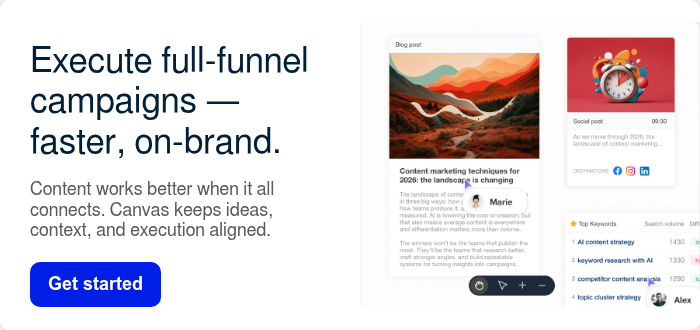




Content marketing tools should make your job easier. But if you’re juggling too many tabs, chasing approvals, rewriting the same ideas for different channels, and still falling behind, the problem usually isn’t your team.
It’s your stack.
The best content marketing tools help you plan faster, create better content, publish on time, and keep everything moving without the usual chaos. In other words, they give you more clarity and less busywork.
That’s exactly what this guide is for.
Inside, you’ll find a practical mix of content marketing tools for AI content strategy, writing, image creation, scheduling, promotion, analytics, email marketing, and collaboration. Some are all-in-one platforms. Others do one job really well. Either way, the goal is the same: choose content marketing tools that make your workflow simpler, not heavier.
If you’re building a smarter AI content strategy, creating a more useful content calendar, or trying to scale an AI-powered content plan, this list will help you choose the right setup.
Quick picks for content marketing tools
| Best for... | Tool |
|---|---|
| Best all-in-one content marketing platform | StoryChief |
| Best SEO-first content toolkit | Semrush |
| Best AI writer for brand voice | Jasper |
| Best visual content tool | Adobe Express |
| Best simple scheduler | Buffer |
| Best enterprise social management tool | Hootsuite |
| Best flexible planning workspace | Notion |
| Best email marketing tool for content teams | MailerLite |
All-in-one content marketing tools
1. StoryChief

StoryChief is an all-in-one content marketing platform. It brings strategy, creation, collaboration, SEO guidance, scheduling, publishing, and performance tracking into one workflow.
That matters because most teams don’t struggle with writing alone. More often, they struggle with handoffs, scattered tools, and broken workflows. Instead of stitching together separate tools for briefs, writing, approvals, scheduling, and reporting, StoryChief gives teams one place to move from idea to distribution. As a result, it’s the strongest all-around option on this list for marketers who want fewer moving parts.
It also fits naturally with a smarter AI content calendar and more efficient content marketing automation.
Best for
Marketing teams that want one platform for planning, creating, optimizing, collaborating on, and publishing content.
Key features
- AI-powered content strategy and campaign planning
- Content creation for blogs, social, newsletters, and campaigns
- SEO and optimization support
- Content calendar and scheduling
- Workflow management, approvals, and collaboration
- Multi-channel publishing
- Analytics and reporting
- Content audit insights
Pros
- Strong all-in-one workflow
- Connects strategy to execution
- Reduces tool switching
- Useful for teams, agencies, and growing brands
Cons
- More than you need if you only want basic scheduling
- Teams used to separate point solutions may need an adjustment period
Pricing
- Free plan available
- Social Media Calendar: from €19/month
- Team Social: from €29/seat/month
- Team Editorial: from €69/seat/month
- Agency and Enterprise: custom pricing
2. HubSpot Content Hub

HubSpot combines content management, AI writing, CRM context, automation, and reporting in one ecosystem.
For many teams, the big benefit is connection. Your blog, landing pages, email capture, and lead data can all work together in one system. That makes HubSpot a strong fit for companies that care about pipeline just as much as pageviews.
Best for
Businesses that want content tightly connected to CRM and lead generation.
Key features
- AI writing tools
- Blog and website management
- SEO recommendations
- CRM integration
- Marketing automation
- Reporting dashboards
Pros
- Excellent for inbound marketing
- Strong CRM and automation tie-ins
- Good for teams focused on revenue impact
Cons
- Can get expensive quickly
- Less editorially focused than some alternatives
Pricing
- Free tools available
- Starter: from $9/seat/month
- Professional: $450/month with 3 seats included
- Enterprise: $1,500/month with 5 seats included
3. Contentful

Contentful is a composable content platform for teams that manage content across websites, apps, and digital products.
In practice, it’s less about writing a single blog post and more about managing structured content at scale. So if your team works across many channels and markets, Contentful can become the engine behind that system.
Best for
Enterprise teams managing structured content across multiple digital properties.
Key features
- Headless CMS architecture
- Structured content modeling
- Omnichannel content delivery
- Collaboration tools
- API-first flexibility
- AI-enhanced workflows and personalization options
Pros
- Excellent for scale and flexibility
- Great for complex multi-channel ecosystems
- Strong developer support
Cons
- Not ideal for simple marketing teams
- Requires more technical setup than most tools here
Pricing
- Free plan available
- Paid and enterprise plans available on custom pricing
4. Uberflip
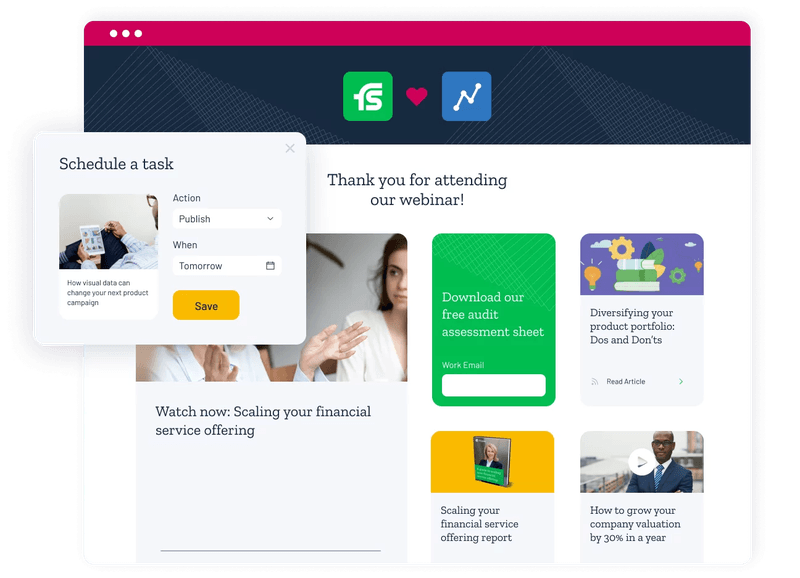
Uberflip is a content experience platform. It helps marketers organize and personalize how content is presented to different audiences.
That makes it useful when you already have a lot of content. Instead of publishing one-off assets, you can package them into more focused buyer journeys.
Best for
B2B teams that want to personalize content experiences for segmented audiences.
Key features
- Content hubs and destination pages
- Personalized streams and journeys
- Sales enablement support
- Integrations with marketing and CRM tools
- Analytics for engagement
Pros
- Strong for content repackaging and personalization
- Helpful for ABM and B2B journeys
Cons
- Not a writing or design-first tool
- Best when you already have a substantial content library
Pricing
- Custom pricing
5. CoSchedule

CoSchedule is a calendar-centered marketing platform. It helps teams plan campaigns, social posts, and content workflows more clearly.
Over time, it has grown beyond a simple calendar. It now includes AI templates, AI assistance, and image-generation support. Still, the calendar remains the heart of the product.
Best for
Teams that want a planning-first system for marketing operations.
Key features
- Marketing calendar
- Social calendar
- AI Assistant
- AI project templates
- Best-time scheduling
- AI image generation
- Social analytics
Pros
- Strong planning experience
- Good visual organization
- Helpful for campaign management
Cons
- Full value often sits behind higher tiers
- Less complete for SEO and long-form content optimization
Pricing
- Free Calendar: $0
- Social Calendar: from $19/user/month billed annually
- Higher-tier products: demo/custom pricing
SEO content marketing tools
6. Semrush Content Toolkit

Semrush helps content teams create SEO-informed content using search data, competitive insights, optimization guidance, and AI-assisted drafting.
If rankings matter a lot, this tool makes a strong case for itself. Instead of relying on generic AI output, you get search context and competitor signals too.
Best for
SEO-led content teams and marketers focused on rankings.
Key features
- Topic Finder
- SEO briefs
- Competitive SERP analysis
- AI article generation
- Content optimization guidance
- Brand voice support
- Publishing support
Pros
- Strong SEO grounding
- Great for briefs and refreshes
- Better search context than general AI tools
Cons
- Less complete for approvals and collaboration
- Best value comes when SEO is central to strategy
Pricing
- Content Toolkit: $60/month
- 7-day free trial available
7. Ahrefs

Ahrefs is a well-known SEO platform for keyword research, competitor analysis, link building, and content opportunity discovery.
It remains one of the strongest tools for figuring out what topics matter, how hard they are, and which pages are winning right now.
Best for
Teams that want powerful SEO research and backlink intelligence.
Key features
- Keyword research
- Site Explorer
- Backlink analysis
- Rank tracking
- Content gap analysis
- Competitive research
Pros
- Excellent data depth
- Great for topic discovery and link building
- Very strong SEO reputation
Cons
- Primarily a research tool, not a full workflow platform
- Can feel expensive for smaller teams
Pricing
- Paid plans available
- Pricing varies by plan tier
8. Surfer

Surfer is a content optimization platform that helps writers create pages that align better with search intent and ranking patterns.
Most teams use it after topic selection. In other words, it shines when the draft is already in progress and needs stronger on-page SEO guidance.
Best for
Teams that want detailed on-page SEO guidance while writing.
Key features
- Content Editor
- NLP-based optimization guidance
- SERP analysis
- Content scoring
- Audit tools
- AI-assisted workflow support
Pros
- Very useful for on-page optimization
- Clear scoring helps writers stay on track
- Good fit for content refreshes
Cons
- Can encourage over-optimization if used too rigidly
- Better as part of a stack than a full platform
Pricing
- Paid plans available
- Pricing varies by plan tier
9. Clearscope
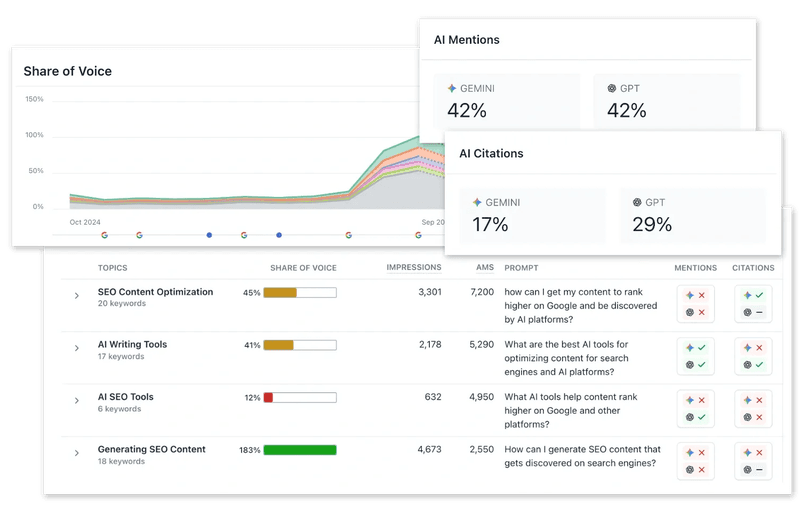
Clearscope helps teams improve content relevance and search performance by recommending related terms, topics, and optimization opportunities.
Because the workflow is clean and focused, many editorial teams like it. It adds guidance without adding too much noise.
Best for
Editorial teams that want straightforward content optimization.
Key features
- Content grading
- Keyword and topic recommendations
- Competitor content analysis
- Brief creation support
- Google Docs and WordPress integrations
Pros
- Clean, easy-to-use workflow
- Great for writers and editors
- Helpful for improving topical depth
Cons
- Premium pricing
- Narrower scope than all-in-one platforms
Pricing
- Custom pricing
10. BuzzSumo
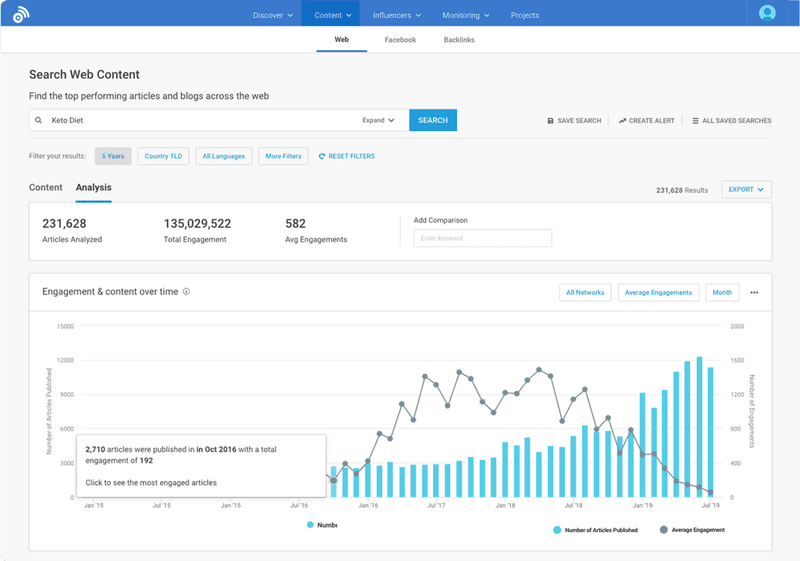
BuzzSumo helps content marketers discover trending topics, analyze competitors, monitor mentions, and find influencer opportunities.
It’s especially useful during ideation and promotion. Instead of guessing what people care about, you can see what’s already getting traction.
Best for
Marketers who want topic discovery and competitor content insights.
Key features
- Content discovery
- Trend analysis
- Competitor tracking
- Brand monitoring
- Influencer research
- Alerting tools
Pros
- Great for ideation and promotion research
- Helps validate content demand
- Useful for PR and outreach too
Cons
- Not a writing platform
- Best used alongside a broader workflow stack
Pricing
- Paid plans available
- Pricing varies by plan tier
AI content marketing tools
11. Jasper

Jasper is an AI marketing platform built to help teams generate on-brand content across blogs, emails, landing pages, and campaigns.
Its biggest strength is brand consistency. So if you want AI support without losing your voice, Jasper is one of the strongest options.
Best for
Teams that care deeply about brand voice and campaign consistency.
Key features
- AI writing for multiple formats
- Brand voice support
- Knowledge assets
- Audience settings
- Campaign workflow support
- Collaboration features
Pros
- Strong brand controls
- Good for campaign creation at scale
- Better than generic AI tools for consistency
Cons
- Not a full publishing platform
- Pricing can feel steep for smaller teams
Pricing
- Pro: from $69/seat/month, or $59/seat/month billed yearly
- Business: custom pricing
12. ChatGPT

ChatGPT is a general-purpose AI assistant. It can help marketers brainstorm, draft, summarize, research, repurpose, and refine content.
It’s not a dedicated content marketing platform. Even so, many teams use it every day because it speeds up a wide range of tasks.
Best for
Marketers who want flexible AI support across many content tasks.
Key features
- Drafting and rewriting
- Research support
- Brainstorming and ideation
- Summarization
- Prompt-based analysis
- Multi-purpose assistance
Pros
- Extremely flexible
- Fast for ideation and first drafts
- Useful across many workflows
Cons
- Needs strong prompting and human review
- Not purpose-built for scheduling or publishing
Pricing
- Limited free version available
- Paid plans start at $20/month
13. Copy.ai

Copy.ai combines AI-generated writing with workflow automation for go-to-market teams.
That makes it especially helpful when content work overlaps with sales, enablement, prospecting, and repeatable AI processes.
Best for
Teams that want AI writing plus structured workflow automation.
Key features
- AI chat and writing
- Workflow automation
- Multiple model access
- Reusable workflows
- Team support
- GTM-focused use cases
Pros
- Good for repeatable AI workflows
- Useful beyond blog content
- Helpful for marketing and ops overlap
Cons
- More GTM-focused than editorially focused
- Less useful for publishing workflows
Pricing
- Chat: $29/month, or $24/month billed annually
- Growth: $1,000/month billed annually
- Expansion: $2,000/month billed annually
- Scale and Enterprise: custom pricing
14. Writer

Writer is an enterprise AI writing platform focused on brand consistency, governance, and team-wide content quality.
For larger organizations, that can be a big advantage. It gives teams more control over how content gets created and reviewed.
Best for
Enterprise teams that need governance and brand control.
Key features
- AI writing assistance
- Brand style enforcement
- Knowledge integration
- Team governance controls
- Workflow support
- Enterprise security features
Pros
- Strong governance and consistency tools
- Good for regulated or larger brands
- Useful for scaling teams
Cons
- More enterprise-oriented than SMB-friendly
- Less of a simple plug-and-play tool
Pricing
- Custom pricing
15. Grammarly

Grammarly helps marketers improve grammar, tone, clarity, and readability.
It’s not flashy. Still, it remains one of the easiest ways to improve quality across blogs, emails, docs, and social copy.
Best for
Teams that want cleaner, clearer writing across all content.
Key features
- Grammar and spelling checks
- Tone suggestions
- Clarity recommendations
- Rewriting support
- Team style support
- Integrations across apps
Pros
- Easy to adopt
- Helpful for everyday quality control
- Works across many tools and workflows
Cons
- Not a strategy or publishing tool
- Suggestions still need human judgment
Pricing
- Free plan available
- Paid plans available
16. Notion

Notion is a flexible workspace for planning, documenting, coordinating, and drafting content with AI support.
For many teams, it works best as the operating system around the content program. You can keep briefs, calendars, notes, docs, and workflows in one place.
Best for
Teams that want a flexible planning and knowledge workspace.
Key features
- Docs and databases
- Notion Calendar
- AI writing support
- Meeting notes
- Team collaboration
- Public page publishing
Pros
- Extremely flexible
- Great for briefs and content operations
- Useful as a central workspace
Cons
- Needs structure to avoid messiness
- Not a full publishing platform
Pricing
- Free: $0
- Plus: $10/member/month
- Business: $20/member/month
- Enterprise: custom pricing
Design content marketing tools
17. Adobe Express
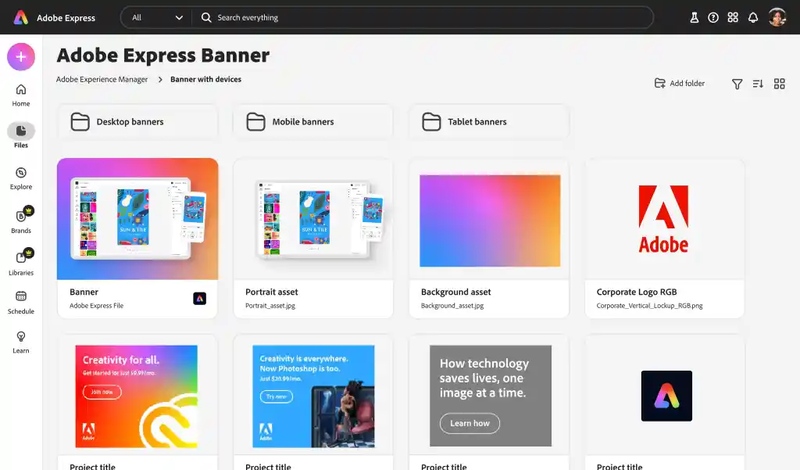
Adobe Express helps marketers create social graphics, short videos, branded templates, and AI-generated visuals. It also includes built-in content scheduling.
Because of that mix, it’s one of the best picks for visual-first marketing teams that want faster creation and publishing in one tool.
Best for
Teams creating visual assets for social and campaigns.
Key features
- AI-powered image generation
- Templates and brand kits
- One-click resizing
- Content scheduler
- Video creation tools
- Adobe Stock access on higher plans
Pros
- Great balance of design and speed
- Strong for social creatives
- Scheduling built in
Cons
- Not a full editorial or SEO platform
- Better for visuals than full content operations
Pricing
- Free plan available
- Premium: $9.99/month
- Firefly Pro: $19.99/month
18. Canva

Canva is a user-friendly design platform that helps marketers create social graphics, presentations, videos, branded assets, and AI-assisted visuals.
For many teams, it’s the easiest way to produce polished content without needing a designer for every task.
Best for
Teams that want accessible design and branded asset creation.
Key features
- Templates for social and content marketing
- AI-assisted design tools
- Brand kit support
- Collaboration features
- Content planner on higher plans
- Video and presentation creation
Pros
- Very easy to use
- Huge template library
- Great for non-designers
Cons
- Less precise than pro design tools
- Pricing and features vary by plan and region
Pricing
- Free plan available
- Paid plans available
- Teams pricing generally starts around $10 per person/month in standard pricing, depending on plan and region
19. Adobe Creative Cloud

Adobe Creative Cloud gives design and video teams access to professional tools like Photoshop, Illustrator, Premiere Pro, and more.
It’s overkill for some marketers. However, for teams that need high-end visual production, it’s still the benchmark.
Best for
Designers and video teams creating high-production brand assets.
Key features
- Photoshop
- Illustrator
- Premiere Pro
- InDesign
- After Effects
- Team collaboration options
Pros
- Professional-grade creative power
- Industry-standard tools
- Strong for advanced asset production
Cons
- Steeper learning curve
- More expensive and complex than lightweight alternatives
Pricing
- Plans vary by app bundle and team size
- Creative Cloud All Apps starts from around $59.99/month for individuals
20. Descript

Descript is a video and audio editing platform that lets marketers edit podcasts, webinars, interviews, and clips with text-based workflows.
That makes it especially useful for repurposing spoken content into multiple marketing assets.
Best for
Teams repurposing audio and video into content assets.
Key features
- Text-based editing
- Transcription
- Screen recording
- Video clipping
- AI voice and cleanup tools
- Multi-format repurposing support
Pros
- Great for repurposing long-form media
- Easier than traditional video editors for marketers
- Strong transcription workflow
Cons
- Not a full design suite
- Advanced editing needs may still require other tools
Pricing
- Free plan available
- Paid plans available
21. Rev

Rev provides transcription, captions, and related services for audio and video content.
It’s a practical tool, but a very useful one. In particular, it saves time when interviews, podcasts, and webinars are part of your workflow.
Best for
Teams that need accurate transcription and captioning.
Key features
- Human and AI transcription
- Captions and subtitles
- Audio-to-text workflows
- Video support
Pros
- Useful for interviews and repurposing
- Helps turn spoken content into written assets
- Good support for accessibility workflows
Cons
- Narrow scope
- Costs can add up with volume
Pricing
- Pricing varies by service type and usage
Social content marketing tools
22. Buffer

Buffer is a clean social media scheduling tool that helps teams plan, publish, and manage social content with minimal friction.
That simplicity is the reason many people still like it. It handles the basics well and doesn’t try to feel heavier than it needs to.
Best for
Creators and lean teams that want simple scheduling.
Key features
- Social scheduling
- AI Assistant
- Content ideas
- Analytics
- Community inbox
- Approval workflows on team plans
Pros
- Easy to learn
- Affordable starting point
- Great for smaller teams
Cons
- Limited for broader strategy and SEO
- Better for distribution than content operations
Pricing
- Free plan available
- Essentials: from $5/channel/month
- Team: from $10/channel/month
23. Hootsuite

Hootsuite is a social media management platform built for scheduling, monitoring, collaboration, analytics, and social workflows at scale.
It’s more social-first than content-first. Still, it remains a major tool for brands whose content engine runs through social channels.
Best for
Social-heavy brands and larger marketing teams.
Key features
- Scheduling and publishing
- Recommended post timing
- AI assistant with image and caption generation
- Social inbox
- Competitor monitoring
- Bulk scheduling
- Enterprise controls
Pros
- Strong for large-scale social execution
- Deeper monitoring and reporting than simpler tools
- Good for multi-user teams
Cons
- More social-focused than full content-focused
- Can feel heavy for smaller teams
Pricing
- Standard, Advanced, and Enterprise plans available
- Enterprise is custom priced
- Public pricing varies by plan configuration and billing setup
24. Outbrain

Outbrain helps marketers promote content across publisher networks and recommendation placements.
So if you want to expand content reach beyond your own channels, it can be a useful option.
Best for
Teams investing in paid content promotion.
Key features
- Native content promotion
- Publisher network distribution
- Audience targeting
- Campaign performance reporting
Pros
- Helps extend reach beyond owned channels
- Useful for content amplification
- Strong awareness support
Cons
- Paid promotion requires budget discipline
- Not a content creation platform
Pricing
- Campaign-based pricing
25. Quuu Promote

Quuu Promote helps marketers get content shared by people interested in relevant topics.
It’s not a full social platform. Still, it can work as a lightweight promotion layer when you want more organic visibility.
Best for
Teams looking for lightweight content amplification.
Key features
- Content promotion to curated audiences
- Topic-based distribution
- Social share amplification
Pros
- Simple promotion concept
- Useful for extending organic visibility
- Good supplementary distribution tool
Cons
- Narrow use case
- Not a core workflow platform
Pricing
- Pricing varies by promotion package
26. Haro

HARO and similar media sourcing platforms help brands respond to journalist requests, earn mentions, and support digital PR.
The older version of this article included HARO for a reason. Earned media and backlinks can still help content growth. The tools have changed, but that use case still matters.
Best for
Teams investing in thought leadership, PR, and backlinks.
Key features
- Journalist request feeds
- Expert response opportunities
- Media outreach support
- Link-building potential
Pros
- Useful for earned visibility and authority
- Can support link acquisition
- Helpful for thought leadership
Cons
- Time-sensitive and competitive
- Results are inconsistent without process
Pricing
- Pricing varies by platform and plan
Content marketing tools for email, analytics, and workflow
27. MailerLite

MailerLite combines email marketing, automation, landing pages, and lightweight website-building tools in one approachable package.
That matters because content marketing doesn’t end when someone reads a post. You also need a way to capture, nurture, and convert attention.
Best for
Content teams that want simple email marketing and landing page support.
Key features
- Email campaigns and automation
- Landing pages and forms
- Website builder
- Subscriber management
- Reporting and segmentation
Pros
- Very approachable for SMBs
- Good value for email plus landing pages
- Useful for lead capture after content discovery
Cons
- Less advanced than enterprise email suites
- Website builder is lighter than full CMS tools
Pricing
- Free plan available
- Paid plans start at $10/month for up to 500 subscribers
28. Google Analytics

Google Analytics helps marketers understand how people find, use, and convert on their site.
It remains one of the most important tools for seeing whether content actually drives engagement and business value.
Best for
Teams measuring website and content performance.
Key features
- Traffic reporting
- Engagement metrics
- Conversion tracking
- Audience insights
- Attribution support
Pros
- Essential performance visibility
- Free for most teams
- Useful across nearly every content program
Cons
- Learning curve for non-analysts
- Setup quality affects reporting quality
Pricing
- Free for standard usage
29. Asana
Asana is a project management tool that helps marketing teams keep campaigns, approvals, deadlines, and handoffs organized.
It’s not built only for content marketers. Even so, many teams still rely on it to keep production moving.
Best for
Teams that want strong task and campaign management.
Key features
- Task management
- Campaign planning
- Timelines and calendars
- Assignments and approvals
- Team collaboration
Pros
- Strong operational visibility
- Good for accountability and timelines
- Useful across departments
Cons
- Needs other tools for writing, SEO, and publishing
- Can become process-heavy
Pricing
- Free plan available
- Paid plans available
30. Airtable
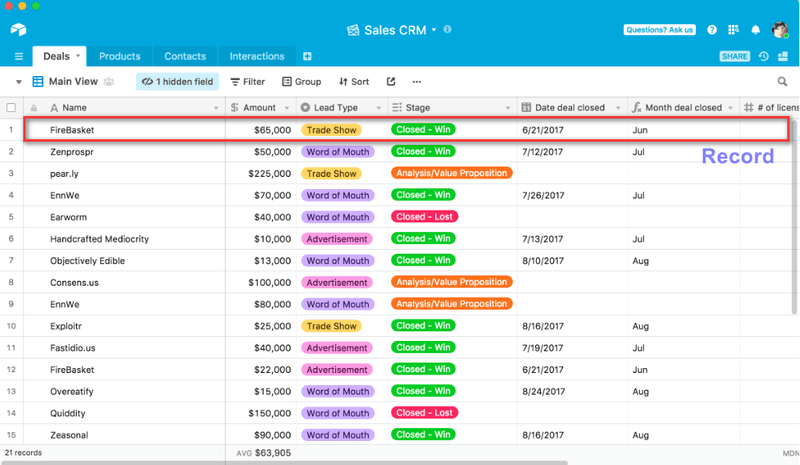
Airtable combines spreadsheet flexibility with database structure. That makes it a useful content operations tool for editorial calendars, campaign tracking, and asset management.
It works especially well for teams that need custom views and strong organization without a traditional PM feel.
Best for
Teams that want flexible content operations and campaign tracking.
Key features
- Database-style planning
- Custom views and filters
- Editorial calendars
- Asset organization
- Workflow support and automations
Pros
- Very flexible for content ops
- Great for campaign visibility
- Can be tailored to many workflows
Cons
- Needs setup and governance
- Not a direct publishing tool
Pricing
- Free plan available
- Paid plans available
Which content marketing tools should you choose?
Here’s the simplest way to decide:
- Choose StoryChief if you want one platform to plan, create, optimize, collaborate, schedule, and publish.
- Choose Semrush or Ahrefs if search growth is your top priority.
- Choose Jasper or ChatGPT if AI writing speed matters most.
- Choose Adobe Express or Canva if visual content is central to your workflow.
- Choose Buffer or Hootsuite if social scheduling is the main challenge.
- Choose MailerLite if email and audience growth are core to your strategy.
- Choose Notion, Airtable, or Asana if your main pain point is organizing work.
Why StoryChief is still #1 among content marketing tools
A lot of tools on this list are excellent.
However, most of them solve only one part of the content marketing puzzle.
StoryChief still ranks first because it connects the parts that content teams usually split across multiple tools:
- Strategy
- AI-assisted creation
- SEO support
- Collaboration
- Scheduling
- Publishing
- Reporting
As a result, it’s a stronger long-term choice for marketers who want a better system, not just another app.
If you want to go deeper after this roundup, these guides are a good next step:
- How to build an AI content strategy that actually converts
- How to create an AI-powered content plan in under 5 minutes
- What is a content calendar and how to build one
- How to automate your social media marketing content strategy
- How to create an AI-powered content calendar
Final takeaway on content marketing tools
The right content marketing tools won’t fix a weak strategy.
But they can make a strong strategy much easier to execute.
If your team wants fewer handoffs, faster production, better consistency, and a clearer path from idea to performance, it’s worth choosing tools that work like a system instead of a pile of disconnected tabs.
For most teams, that starts with StoryChief.
StoryChief AI Canvas enables marketers to plan, edit, and expand campaigns within a single visual workspace—automated, consistent with brand guidelines, and designed for practical marketing workflows. Try it free.