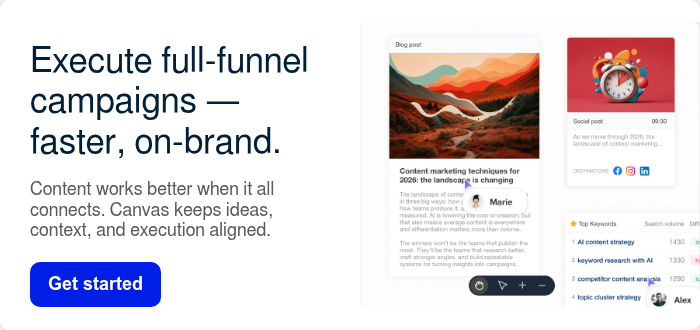




Below are 12 practical ways I use StoryChief AI Canvas to plan 3x faster, execute with less friction, and ship campaigns that stay aligned from first idea to final result.
As a marketer, nothing slows campaigns down faster than fragmentation.
Strategy lives in one tool. Research in another. Briefs in docs. Drafts in email threads. Performance data in dashboards you check after everything is published.
The result?
- Guesswork instead of confidence
- Slow handoffs and endless revisions
- Campaigns that drift away from the original strategy
StoryChief AI Canvas was built to solve this exact problem.
It’s a single workspace where content campaigns actually run end-to-end — from real data and insights to production, distribution, and optimization.
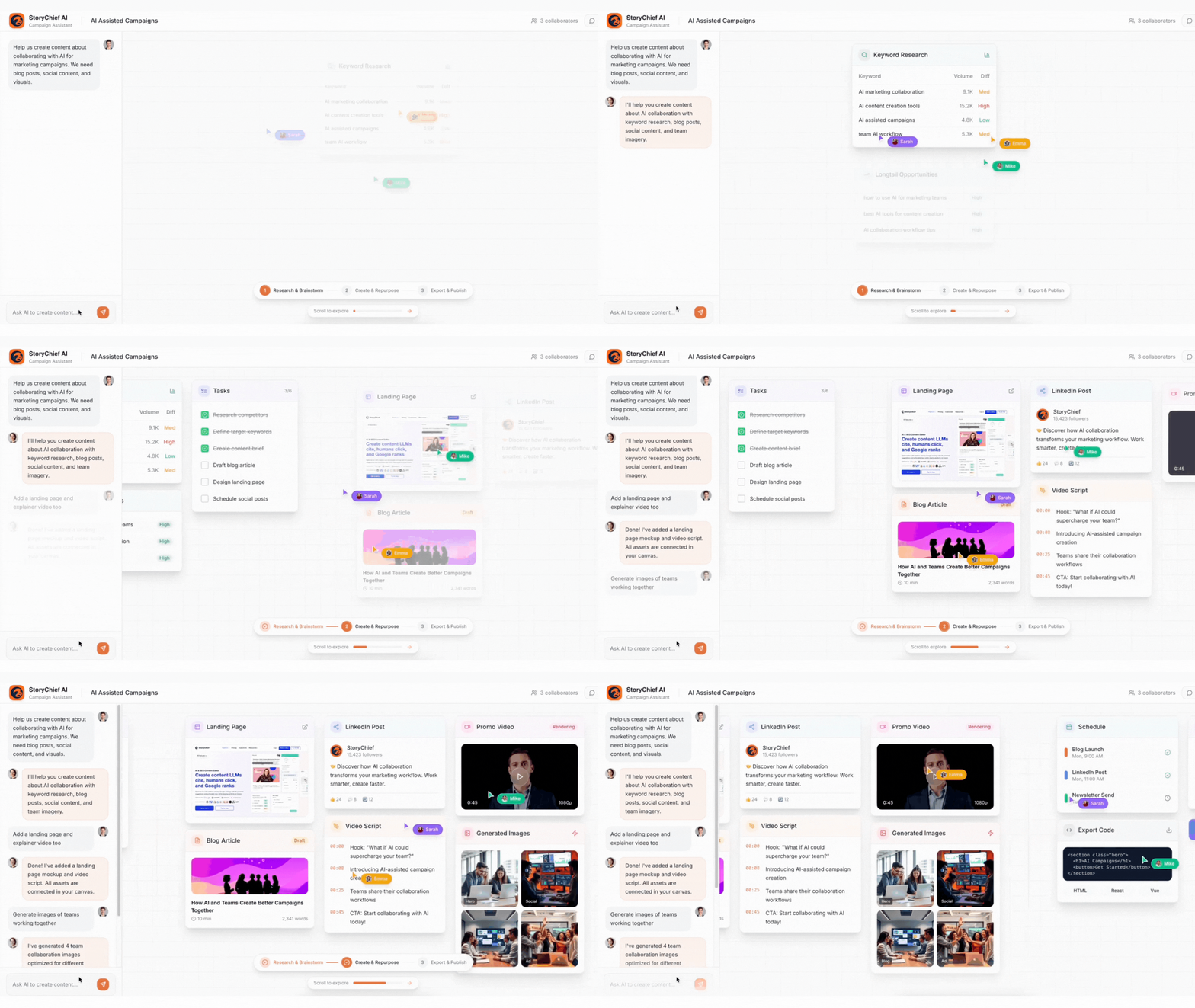
12 Uses of StoryChief AI Canvas
- Run SEO, competitor and market research
- Plan campaigns and content calendars visually
- Full visibility into your content & SEO performance
- Keep all campaign assets in one place
- Turn one idea into multi-channel content
- Scale without the chaos: Segmentation, refresh, repurpose
- Generate visuals and videos
- Create every content type from one campaign
- Summarize long documents automatically
- Track and optimize content performance
- Schedule content across all channels
- Maintain a consistent brand voice
Importance of AI Campaign Planning
AI campaign planning matters because content marketing gets messy when strategy, research, briefs, production, and results live in different tools. Teams lose context, handoffs slow down, and campaigns drift.
With AI campaign planning in one workspace (like StoryChief AI Canvas), you get alignment before publishing, faster execution, and better optimization after launch.
- Make smarter decisions: Use real data (audits, keywords, competitors, trends) instead of opinions.
- Keep strategy tied to the work: Goals, audience, positioning, and KPIs stay connected to every asset.
- Reduce team friction: Clearer briefs and faster handoffs mean smoother collaboration and fewer pointless revisions.
- Ship more without losing consistency: Create and repurpose more content across channels while keeping a consistent brand voice.
- Improve continuously: Performance insights feed directly into the next plan, so campaigns get better over time.
In short: AI campaign planning helps teams run coordinated, insight-driven campaigns—faster, with less chaos, and with ongoing optimization.
Research & Strategy: Uses your existing SEO & content data to decide what to create
1. Run SEO, competitor and market research
AI Canvas removes guesswork from campaign planning by grounding every idea in real SEO and content data.
Instead of treating research as a separate step, AI Canvas makes it the starting point for execution. Your audits, keyword insights, competitor gaps, and performance trends live in the same workspace where campaigns are planned and built.
Inside the same workspace, I can base my ideas on:
- Content audits & AI recommendations
- Google Search Console data (keywords that are new, rising, or declining)
- SEO & competitor research
- Content gap analysis
This means insights don’t die in dashboards — they immediately turn into briefs, articles, updates, and multi-channel campaigns.

2. Plan campaigns and content calendars visually
Instead of mapping campaigns in a document or spreadsheet, I layout every asset — blogs, emails, social posts, landing pages — directly on a single visual canvas.
By seeing every asset together before execution starts, I avoid misalignment, duplicated work, and late-stage revisions.
This immediately shows me:
- what we already have
- what’s missing
- how every asset connects to the bigger strategy
- where bottlenecks might happen
Example: For a product launch, I can visually place the announcement post, the teaser content, email sequences, and landing page content side-by-side to check alignment before we draft a single word.
3. Full visibility into content & SEO performance
Performance data isn’t something I review after a campaign — it actively shapes what I plan and create next.
StoryChief AI Canvas gives me direct access to everything I need to make smarter content decisions:
- Content audits and recommendations
- Published content overview
- Keyword research, search volume & keyword difficulty (KD)
- Organic search performance from Google Search Console
All of this lives next to my campaign planning and drafts — so strategy and execution never drift apart.
Example: Before planning a new quarter, I review my published content performance, identify “easy win” keywords from Search Console, and build a campaign around topics that already show demand but need better coverage.

4. Keep all campaign assets in one place
Every campaign starts with a single source of truth — so writers, editors, marketers, and stakeholders are always working from the same strategy.
Every campaign in StoryChief AI Canvas starts with a centralized hub for:
- audience insights
- messaging and tone
- brand voice
- goals & KPIs
- positioning
- competitors
- past performance insights
This saves hours normally lost searching through briefs, PDFs, and Slack threads—and ensures every asset stays rooted in the same strategy.
Example: When I create variations of a campaign email, AI Canvas automatically reuses the campaign’s audience profile and brand voice.
Tip: StoryChief AI automates keyword and competitor research, so you can find high-value opportunities, create content, collaborate, publish, and optimize — without needing SEO expertise.

Create & Repurpose: Generate all assets together around the same goal
5. Turn one idea into multi-channel content
AI Canvas is built for fast expansion. Start with a single campaign idea, then break it into:
- blogs
- LinkedIn posts
- social threads
- landing pages
- emails
- scripts
- paid ads
- video content.
This keeps campaigns consistent across blogs, pages, social, email, and ads — without rewriting context or re-explaining strategy.
Example: From 10 content ideas, I developed a blog post, a social media campaign, and a newsletter.

6. Scale without the chaos: Segmentation, refresh, repurpose
As campaigns scale, content gets harder to manage—more audiences, channels, and versions to keep aligned. AI Canvas helps you scale without losing control.
From one campaign, you can quickly create tailored versions for different audiences, industries, channels, and funnel stages—while staying true to the same strategy, messaging, and brand voice.
When plans change, you can update copy across multiple assets at once to keep emails, ads, posts, and pages consistent. And instead of starting over, you can repurpose what’s already working into new formats, refreshed with new data, and adapted for new channels.
The result: more content, less effort—and consistent campaigns at scale.
7. Generate visuals and videos
Creative assets are no longer a bottleneck or a separate workflow — they’re part of the same campaign canvas as the copy itself.
Need graphics, thumbnails, social visuals, or a quick promo video? AI Canvas generates and edits creative assets directly in the same workspace.

Collaborate & Execute: Fewer handoffs, faster delivery
8. Create every content type from one campaign
AI Canvas isn’t limited to one format or channel. From a single campaign idea, I can create every asset needed to launch, promote, and scale a campaign — all in the same workspace.
That includes:
- Blog posts
- Emails & newsletters
- Social posts and threads (LinkedIn, X, etc.)
- Landing pages
- Ad copy
- Scripts (video, podcast, webinars)
- Visual assets and videos
What makes this powerful is that every asset stays connected to the same strategy, research, and messaging. I’m not rewriting context or re-explaining the goal every time I switch formats.
9. Summarize long documents automatically
AI Canvas can turn long briefs, transcripts, reports, or research docs into:
- quick summaries
- outlines
- key insights
- action items
- content angles
This is especially helpful for executive content or research-heavy campaigns.
Example: I summarized a 10-page e-book report into brief, engaging posts for social media.

StoryChief Canvas enables marketers to plan, edit, and expand campaigns within a single visual workspace—automated, consistent with brand guidelines, and designed for practical marketing workflows. Try it free.

Publish & Optimize: Close the loop
10. Track and optimize content performance
Instead of planning content in isolation, AI Canvas lets me continuously optimize campaigns using live organic search insights.
I can ask AI to:
- Analyze my Google Search Console data
- Detect content gaps and declining pages
- Identify high-potential keywords based on volume and difficulty
- Turn those insights into a ready-to-publish content plan
Example: I asked AI Canvas to create a one-week content plan using my Search Console data. It identified rising keywords, “easy wins,” and missing content around key themes — then mapped them directly into a campaign calendar I could execute immediately.
This closes the loop between strategy → execution → performance → optimization — all in one workspace.

11. Schedule content across all channels
Publishing doesn’t break the workflow — it’s simply the next step in the same campaign.
After everything is finalized, AI Canvas pushes content directly to the right channels:
- social
- blog
- video platforms
Example: I scheduled a 10-day social sequence across LinkedIn, and Facebook from inside AI Canvas, no need to jump into separate scheduling tools.

Type caption (optional)
12. Maintain a consistent brand voice
With built-in:
- templates
- style guidelines
- brand voice settings
- reusable component
Every team member stays aligned automatically.
Example: Whether I’m writing an ad, blog, or email, the same tone and formatting rules carry through with zero manual effort.
Wrap-up: Creating Powerful Campaigns In a Visual Workspace
AI Canvas gives me a single workspace to run content campaigns end-to-end — from data and insights to execution, distribution, and optimization.
Instead of juggling tools, rebuilding context, or guessing what will perform, I can plan with clarity, execute faster, and continuously improve based on real results.
Whether you’re a growing team, an agency scaling client work, or an enterprise coordinating across regions, AI Canvas removes the friction that slows campaigns down — and replaces it with alignment, momentum, and measurable performance.
Try AI Canvas today and see what it’s like to finally run content campaigns in one place.
StoryChief Canvas enables marketers to plan, edit, and expand campaigns within a single visual workspace—automated, consistent with brand guidelines, and designed for practical marketing workflows. Try it free.