In a fast-paced agency, "fragmentation" is just a fancy word for "expensive." Every minute your strategist spends digging through keyword exports or your writer spends waiting on a missing brief is a minute you’re paying for—without seeing the output.
Most agencies try to solve this by adding more tools, but that usually just creates more tabs to manage. The real answer isn’t another subscription—it’s a fundamental change in how work moves from ideation to execution. AI marketing agents for agencies can make that shift happen.
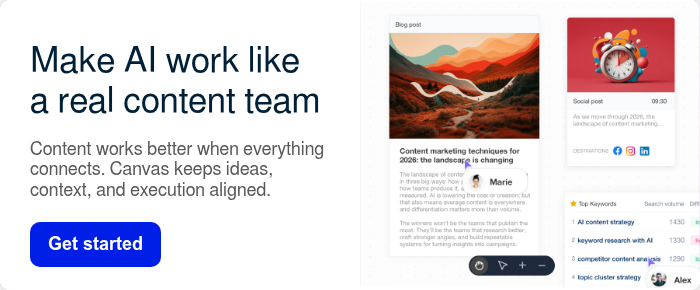
Unlike a standard chatbot that just spits out text, an AI marketing agent for agencies, such as AI Canvas, acts as a connective tissue for your entire content strategy workflow. It doesn’t just "write"; it automates the heavy lifting of planning, research, and cross-channel alignment, turning a fragmented mess into a streamlined production line.
Below is a simple, tangible breakdown of what an automated AI workflow fixes—using everyday agency situations.

10 Ways How AI Marketing Agents Fix Agency Content Workflows
1) It replaces “calendar panic” with data-backed priorities
It’s Monday morning. A client asks, “What are we publishing next month?” Everyone looks at the empty calendar. You pitch ideas. The client asks, “But will it work?”
What AI Canvas changes: It pulls in performance signals (including Google Search Console data) so planning isn’t a vibe—it’s a decision.
Instead of starting with “what should we write,” you start with:
- Which pages already get impressions but not clicks (easy CTR wins)
- Which topics are close to page 1 (quick ranking lifts)
- Which content themes already drive traffic (double down)

If you need a refresher on what “helpful content” looks like in Google’s eyes, Google’s own guidance is worth bookmarking: Creating helpful, reliable, people-first content.
2) It turns keyword research from a copy/paste chore into a normal step
Keyword research should be one of the highest-value steps in an agency’s SEO process. Yet in practice, it often turns into one of the most frustrating—not because it’s difficult, but because it’s scattered.
One person pulls keywords from one tool. Another keeps notes somewhere else. Insights get pasted into a doc. Then the team burns days translating those takeaways into something writers and editors can actually execute.
What AI Canvas changes: AI Canvas changes that by keeping keyword decisions connected to the campaign itself. Research stops being a separate mini-project and becomes a natural part of planning and production.
Instead of passing around exports, screenshots, and summaries, the campaign board keeps SEO context right next to the outline and the draft—exactly where it’s needed.
That means:
- Writers know what they’re aiming for before they start writing.
- Editors can assess the work against the real search intent and goals—without digging through tabs and threads.
- Strategists spend less time re-explaining decisions and more time sharpening the plan.
The outcome is straightforward: content gets aligned earlier.

3) It keeps briefs, outlines, and drafts from drifting apart
Strategy lives in a PDF brief. Draft lives in a doc. Comments live in email. By the time you’re editing, the content is “fine”… but not what you sold.
What AI Canvas changes: One visual campaign workspace where the brief, research, outline, and assets stay connected.
That means:
- fewer “wait, what was the angle again?” questions
- fewer rewrites caused by missing context
- easier client alignment because you can show the plan, not just the finished doc
Working with multi-client setups? Read How To Introduce Your Team To StoryChief (And Make Them Obsessed)
4) It helps you avoid the “generic AI voice” problem
Agencies don’t lose clients because they used AI. They lose trust when the output feels generic, careless, or off-brand. The fastest way to create that distrust is to deliver content that uses the wrong language, flattens the client’s personality, or makes claims the brand can’t stand behind.
What AI Canvas changes: AI Canvas is designed to anchor AI-assisted writing in client-specific context, like PDFs, URLs, and internal documentation.
In practice, it helps you avoid:
- rewriting every paragraph just to match the right tone
- “brand voice drift” across multiple writers
- the uncomfortable moment when a client asks, “Did you use AI for this?”
Because the Canvas captures vocabulary, positioning, boundaries, and product facts, your drafts stay accurate and on-brand from the start. With the right context in place while you create, you spend far less time fixing the draft later.
And since the Canvas lives inside the StoryChief workflow, your team can keep that context connected to the work—rather than buried in someone’s personal prompt library.
5) It reduces handoff friction between roles (SEO → writer → social → client)
Agency teams are rarely small. Even on a “simple” campaign, multiple roles touch the work. When each role has its own doc, its own tool, and its own snapshot of the plan, the same problems appear: people wait on each other, people duplicate work, and questions that should take minutes stretch into days.
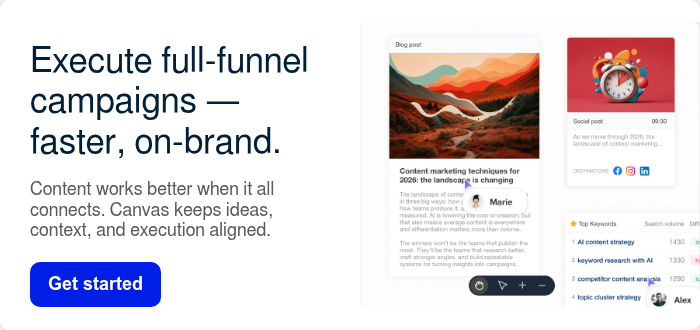
What AI Canvas changes: AI Canvas acts like a shared campaign map.
- Strategists can drop priorities and targets directly into the campaign
- Writers can draft with the SEO goal visible
- Social managers can prep repurposed assets earlier
- Clients can review in one place instead of chasing threads
If your agency already has automations elsewhere (Claude/ChatGPT, Make, Zapier, n8n), StoryChief can still be the collaboration layer that keeps everything organized for clients: AI workflow + client portal for agencies.
6) It makes repurposing become “part of the job,” not a second project
Repurposing is where good agency work often gets undercut. Everyone agrees it’s smart, but it happens late, under pressure, and without the same context as the original piece. That’s why repurposed posts sometimes feel like weaker copies, or worse, like they were written by a different brand.
What AI Canvas changes: AI Canvas keeps repurposing inside the same campaign workspace, connected to the same brief and brand context.
A tangible example:
- One pillar article
- One LinkedIn post for the founder
- One LinkedIn post for the company page
- Three short social posts
- A newsletter blurb
- A simple client-facing “what we did + why” update
That makes it easier to create multiple formats that still sound like the same client and still point to the same outcome. It also makes repurposing easier to scope and deliver, because it’s no longer an “extra favor” that appears at the end.

7) It cuts revision cycles by giving the first draft the full context
Revisions aren’t just about writing quality.
Most rewrites happen because the writer wasn’t set up with the inputs that actually determine whether a piece “works,” like:
- The real goal: are we optimizing for rankings, lead capture, product activation, or something else?
- The client’s voice + product context: what should this sound like, and what do we need to be accurate about?
- The SEO target + search intent: what query are we aiming at, and what does the reader expect to find when they land on the page?
When those pieces are missing (or living in five different docs), the draft becomes a guess. And the revision loop becomes inevitable: new feedback, new direction, new rewrite.
What AI Canvas changes: It keeps the goal, data, and context attached to the work from the start—so the writer can make the right decisions in the first draft. That means fewer rounds of “can we reframe the intro,” fewer last-minute pivots, and a much higher chance that draft one is draft final.
It also protects your team’s energy—because nobody loves rewriting the same intro piece times.
8) It gives you a clear, visual way to justify priorities to clients
The client wants a “trend piece” today, but your data says their biggest win is updating an existing page that’s already ranking.
Without evidence, saying “not yet” sounds like opinion.
What AI Canvas changes: You can show a campaign roadmap that’s tied to performance.
That changes the conversation from:
“We feel like this is the right move” to: “This topic is already getting impressions; improving it is the fastest path to results.”
That positions you as a trusted, strategic partner—someone who doesn’t just execute tasks, but helps shape direction, align stakeholders, and drive measurable outcomes.
9) It reduces tool sprawl (and the hidden cost of switching between them)
Every client stack is different. Your team ends up juggling:
- keyword tools
- planning boards
- docs
- chat threads
- feedback links
Even if each tool is “cheap,” the switching cost isn’t.
What AI Canvas changes: It consolidates the campaign workflow in one place so the team spends less time moving information around.
You still can integrate with other systems when needed—but your team’s daily work becomes simpler.
10) It helps you show up as a strategic partner, not a document vendor
If your deliverable looks like a folder of docs, it’s easy for a client to compare you to the cheapest option.
What AI Canvas changes: You can present a clear, data-led campaign plan and execution path.
That’s how you justify:
- higher retainers
- value-based pricing
- longer-term partnerships
Because you’re not selling “posts.” You’re selling a system that produces results.
Tip: StoryChief AI automates content strategy, keyword and competitor research, so you can find high-value opportunities, create content, collaborate, publish, and optimize in one, connected place.
Creating more strategic content with AI Canvas
AI Canvas brings your entire content strategy workflow into a single, collaborative space—so you can go from insight to execution without losing context (or time) along the way.
- One unified workspace: Keep research, briefs, drafts, and campaign assets in one Canvas.
- Data-driven planning: Pull signals from sources like Search Console to prioritize topics that can rank and convert.
- On-brand by default: Ground the AI in client docs so every output matches the client’s voice.
- Faster repurposing: Turn one core idea into a multi-channel campaign without restarting from scratch.
- Higher margins: Reduce handoffs, revisions, and tool switching—so you deliver more work with the same team.
What AI Canvas unlocks for agencies
As agency pricing models evolve, efficiency is no longer a “nice-to-have” — it’s what determines whether growth actually translates into profit. AI Canvas doesn’t just help you publish faster; it helps you protect capacity and justify your value.
- Instant research: Get keyword and competitor insights in minutes, not hours.
- Scale without hiring: Take on more client projects without adding payroll—or burnout.
- One-click production: Go from a single idea to a strategy, SEO article, and social posts in one board.
- Protect your profits: Move faster so revenue grows while operational costs stay flat.
- Stay consistent: Keep every piece aligned with your client’s tone and SEO goals.
This is the difference between being squeezed on price and being chosen for how you work. When clients see a clear system — not just deliverables — conversations shift away from cost and toward outcomes.
Getting started: A simple starting point for agencies (15 minutes)
Try this with a real client in one short session:
- Choose one service page or blog post that’s already close to page 1.
- Build a mini-campaign around it (refresh the page + 3–5 supporting posts).
- Use the Canvas to keep the brief, keywords, drafts, and repurposed assets together.
- Share the visual plan with the client before you write—so approvals happen early.
In an industry where pricing pressure is rising and capacity is finite, showing the plan before the work often matters as much as the work itself.
Ready to simplify your agency workflow and ship campaigns faster? Start here.
StoryChief AI Canvas enables marketers to plan, edit, and expand campaigns within a single visual workspace—automated, consistent with brand guidelines, and designed for practical marketing workflows. Try it free.