




Marketing teams all around the world rely on a marketing calendar to plan campaigns, coordinate social media engagement, and target different marketing channels on a consistent basis. These events could be planned monthly, weekly, or even daily.
Accomplishing all this requires a dedicated marketing calendar tool that helps you organize all your events, keep track of the deadlines, and analyze a campaign’s impact across a certain period of time.
People often wonder which marketing calendar tool would be the best for them. The truth is that there are several tools on the market and they fit different types of teams depending upon what they need.
In this blog we will take a look at some of the leading marketing calendar tools available that help marketing teams organize and keep track of all your marketing activities effectively.
What is a marketing calendar?
A marketing calendar is a planned schedule created by marketing teams that helps them plan, execute and analyze marketing campaigns across various marketing channels, like SEO, social media, advertising, email marketing etc.
In simple terms, it is just like any other calendar where events are planned. But a marketing calendar also has few unique features that makes it useful for marketing teams when it comes to executing their marketing strategy. Things like tasks, ownership, deadlines, and collaboration are an important part of a good marketing calendar.
10 best marketing calendar tools for marketing teams in 2026
In 2026, there are several marketing calendar tools available on the market. Modern marketing tools are highly sophisticated software with support for AI, automation and task reporting.
Below, we have collected the best tools based on functionality, features and user experience.
1. StoryChief
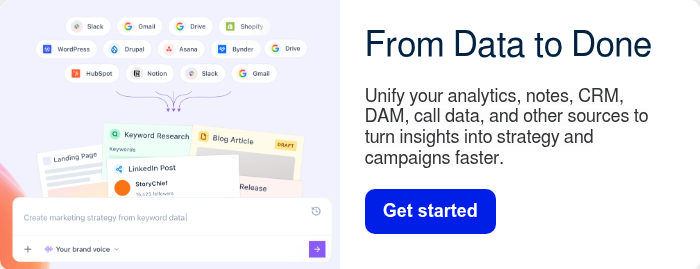
StoryChief is an integrated marketing dashboard that allows teams to take ownership of marketing campaigns from start to finish. With its in-built calendar view, you can create campaigns and assign tasks with clear ownership and tracking. The biggest strength of StoryChief’s content system is its integrations. With plugins available for Hubspot, Notion, Slack and Google Drive among others, you can bring all your dependencies into one place.

Pros:
- Deep AI integration: You can customize your brand voice, build content strategies, and analyze metrics with StoryChief’s powerful AI assistant.
- Automatic content repurposing: You can repurpose any content for all your existing channels. All you need to do is create content for one channel, then the AI assistant converts it for the rest.
- Employee advocacy: StoryChief offers employee advocacy programs that help organizations increase their reach and brand reputation without an increase in the marketing budget.
- Built specially for marketing: Unlike other tools on this list, StoryChief has the advantage of being built with marketing teams in mind. Specialization leads to greater alignment with marketing goals, and a platform that deeply understands the unique challenges faced by marketing professionals.
Cons:
- Integrating and juggling many different tools can become exhausting.
- Limited project management capabilities compared to other tools.
Verdict: StoryChief is the best overall tool for content teams that is specially designed for them.

2. ProofHub
For marketers juggling tight deadlines, multiple campaigns, and constant approvals, ProofHub centralizes everything in one place. From planning and task assignment to tracking progress, it keeps teams aligned in real time.

With built-in tools like shared calendars, timelines, and approval workflows, marketers can manage campaigns without switching platforms, saving time and improving transparency.
Plus, its flat-fee pricing (not per user) makes it a scalable and cost-effective choice for growing teams.
Pros:
- Native chat capabilities: The in-built chat feature keeps all the communication within the project ecosystem.
- Dependency management: With gantt charts, you can easily set up task dependencies where the next task automatically triggers when the last one finishes.
- Proofing: The proofing feature is valuable for marketing teams. It allows users to review, comment, edit, and approve visual assets with version control.
- Custom roles and permissions: You can set up custom roles for your team members, with different access levels, helping you manage a large project easily.
Cons:
- AI integration is lacking.
- Does not include an automation feature.
Verdict: ProofHub seamlessly replaces the project management toolstack with one useful platform with cool built-in features for marketing teams.
3. Asana
Asana is a project management tool that prioritizes clarity and well-defined workflows. While their philosophy has developed over a long period of time and is useful for a large number of teams, a lot of modern users may find it inflexible. Since only one team can own a project, other members can only join as guests, creating visibility gaps. Asana has been deployed in a wide variety of environments and marketing teams use it for its calendar functionality that combines automation and AI augmentation.

Pros:
- Templates: Customizable templates available for different marketing workflows and pipelines.
- Structured workflow: Asana is known for being easy to manage and starts delivering immediately without a complex setup stage.
- Cascading views: You can have different views for tasks and subtasks. For example, while your task lives in the calendar view, the subtask may have Kanban, or Gantt.
- Automation: Recurring tasks can be easily automated with Asana’s excellent automation feature.
Cons:
- Teams sometimes need greater flexibility in creating tasks and workflows.
- Centralized administration can feel overly complex for large teams.
Verdict: Asana is a decent fit for teams that need predictable workflows, with automation capabilities.
4. Airtable
Airtable is a database management software that also works as a project management tool. With its tables that can reach hundreds of thousands of records with tens of thousands of users, Airtable can easily scale to any organization size. For marketing teams that work with a lot of structured data, Airtable is a perfect match. The complexity of data and workflows can be daunting for people who do not know how to work with databases, which personnel working in marketing teams generally tend to be.

Pros:
- Data organization: AIrtable is built around tables that organize data, with additional functionality to turn fields into tasks and also assign those tasks to users.
- Views: You can easily transform any database into a view of your liking, for example, calendar view, gantt view, and more.
- Modification is easy: You can easily modify thousands of rows at once, and manage data securely.
- Compliance: Airtable provides excellent support for compliance management for ISO, HIPPA, and SOC 2.
Cons:
- For non technical users, working with databases can be overwhelming.
- It can get slow when the number of data fields increases beyond a certain point.
Verdict: Airtable is the perfect marriage between an Excel spreadsheet and a project management tool, giving users the best of both worlds.
5. Monday.com
Monday.com provides data visualization, with more than 27 different task views available. Its reporting feature lets users deeply analyze any task according to several different metrics. For marketing teams, Monday.com is the perfect tool to track campaign stats and visualize reach, engagement, and other data points. Its automation feature is slower compared to market competitors and support has been found to be lacking.

Pros:
- Views: Highly customizable views that let users choose what fits their workflow the best.
- Templates: Monday.com provides ready-made templates for marketing teams, ranging from social media calendars to content calendars.
- Automation: Great automation support for repetitive tasks.
- Custom dashboards: Custom dashboards allow users to organize all the data related to any project according to what they want to analyze. It aggregates all the data at one place, giving users a bird’s eye view.
Cons:
- Automation can be quite slow.
- Support can be disappointing, with users struggling to get their issues resolved.
Verdict: Monday.com emerges as the best tool for data visualization and analysis for marketing teams that need every small detail of a campaign.
6. Planable
Planable is a social media planning tool. It offers a specialized feed view where you can view all your posted social media content just like they appear on a scrolling feed. Marketing teams can then view the engagement metrics directly. Planable is noted for being a very intuitive tool that avoids clutter and complex interfaces. Some users find it overly simplistic, and it lacks sophistication and feature set that helps a large team coordinate properly.

Pros:
- Feed view: A dedicated feed view where users can view all the social media content that has been posted as a scrollable feed. Preview posts before they are posted and see how they will look on the feed.
- Comments and annotations: Planable provides its users with a rich comment and annotation feature that allows multiple people to collaborate on a post.
- Organization: Users can create separate spaces for each brand. Labels help organize social media posts according to platform, content type, etc.
- Analytics dashboard: A dedicated dashboard to monitor how well a social media post does, aggregating likes, views, shares, and other crucial metrics.
Cons:
- Limited project management functionality compared to other tools.
- Does not work for other marketing calendar types.
Verdict: Planable is the best social media calendar and proofing tool for marketing teams that are focused on increasing the reach and visibility of their brand.
7. HootSuite
HootSuite is another great social media marketing tool, with features for content creation, scheduling, collaboration and tracking. HootSuite was one of the first social media marketing tools to appear on the market, with the platform being almost two decades old and its interface and functionality has lagged behind modern competitors. But it is still being used and has improved its capabilities with AI integration.

Pros:
- Post at the right time: Use HootSuite’s heat map to know when your posts get the most views and impressions, and schedule your posts at the right time.
- Create a post easily: HootSuite provides in-built Canva, Adobe Express, and stock image support, so you can start creating posts quickly and easily.
- Bulk posting: HootSuite allows its users to schedule up to 350 posts at a time, across different social media platforms.
- Trend analysis: HootSuite’s AI can analyze current and emerging trends, allowing marketing teams to be ahead of the curve when it comes to capitalizing on trends.
Cons:
- HootSuite’s interface can feel outdated compared to modern options.
- Users frequently mention its steep price tag, which seems bloated compared to the features it provides.
Verdict: HootSuite is a major player in the social media marketing space, providing trend analysis and bulk posting features.
8. Sprout Social
Sprout Social markets itself as a data-driven social media manager. With tools that tell you how latest trends are developing and which trends give you the maximum return on investment, Sprout Social helps marketing teams drive engagement and reach. The downside is that it can be pricey compared to other similar platforms, with multiple users complaining about prohibitive pricing for running multiple campaigns across multiple accounts.

Pros:
- Native integration: Integration with Twitter, Facebook, LinkedIn, Instagram, Pinterest, YouTube, and Google My Business allows users to view all the social media posts across all the profiles in a single view.
- Automatic timing: The tool automatically suggests the most optimal time for posting right when a post is being scheduled, based on data and insights.
- Collaboration: Users can collaborate on a single calendar with different roles assigned for different team members. Managers can edit permissions based on roles.
- Instant reports: You can download instant reports via its in-built reporting feature, which is very useful when stakeholders need constant updates.
Cons:
- Sprout Social is significantly more expensive than other comparable social media management tools, even for smaller teams.
- Customer support is consistently reported to be unsatisfactory.
Verdict: Sprout Social is a data-intensive social media planning app, but its prohibitive pricing makes it unappealing compared to its competitors.
9. ClickUp
ClickUp is a management platform that is known for its high customizability and AI integration. ClickUp boasts different features for all kinds of teams, including marketing teams, but not all the features deliver the same consistency. They provide a number of pre-built marketing calendar templates for every kind of marketing need, such as editorial calendars, event calendars, and product launch calendars. But if users want to make their own templates, the process may take a long time because of the higher operational complexity than other comparable tools.

Pros:
- All-in-one: Projects, documents, AI, and chats are all integrated in a single platform, replacing entire tool stacks.
- AI integration: AI integration means it handles everything from task creation to assignment to delivery, all via prompts.
- Compliance handling: Handles compliance of SOC 2, ISO, GDPR, and HIPPA
- Whiteboard: It has a very useful whiteboard feature that helps teams brainstorm ideas and draft campaign blueprints, right in the collaboration space.
Cons:
- ClickUp has a steep learning curve for those who have not used the platform before.
- Though it has a large number of features, not all of them work as expected.
Verdict: ClickUp is a highly customizable project management tool, that can be modelled to cater to exact needs of any marketing team.
10. CoSchedule
CoSchedule started as a social media marketing platform, but has quickly evolved into a more complete platform that is able to offer customized workflows for different team sizes. Despite its progress, it still retains the foundation of a social media marketing tool, and may not be suitable for more complex workflows. Marketing teams can use it to create any kind of marketing calendar they require. Apart from customizability, it also provides dedicated service levels depending on the marketing team’s size.

Pros:
- Easy engagement: Users can engage with social media posts, reply to comments and DMs, without leaving the platform, with its Social Inbox feature.
- Social media integration: Has integrations with a large number of social media platforms, including X, Instagram, Pinterest, Facebook, TikTok, Youtube, Threads, LinkedIn, Mastodon and more.
- Dedicated service tiers: CoSchedule provides dedicated service tiers for different team sizes, like solopreneurs, marketing agencies, mid-sized marketing teams, and enterprise marketing teams.
- Extra tools: Has a host of natively-built complementary tools, like AI-powered writing assistant HireMia, headline analyzer called HeadlineStudio, and a marketing course library called Actionable Marketing Institute.
Cons:
- Users sometimes find it heavy and slow compared to other tools.
- Lack of reporting dashboards can be a concern for some users.
Verdict: CoSchedule is perfect for marketing teams that work on a large number of platforms simultaneously that want complementary tools for other functionalities.
How to create a marketing plan?
Modern marketing is a multi-step process. Marketing teams often contain more than 20 members working on everything from content strategy to content creation, content optimization, and content audit.
Making sure several different people are on the same page when it comes to marketing effort requires a marketing plan, which serves as the universal guide for the marketing team.
Here is how a standard marketing plan is made:
- Gather preliminary data: Any plan starts with research and framing of expectations. Good marketing research directly informs the team about the key performance indicators, prerequisites, and market opportunities.
- Target channels: Choose marketing channels that you want to target, like content marketing, targeted ads, or email marketing. Accordingly, choose the calendar format.
- Identify key dates: Marketing revolves around important events, holidays and seasons. Identify important dates and periods where you can increase your marketing efforts for greater returns.
- Distribute tasks, roles, and responsibilities: Decide which team member performs what task. Decide on deadlines, deliverables, and a reporting schedule to track progress on tasks.
- Set up a reporting dashboard: Set up a common dashboard where statistics and data for the entire project is aggregated, organized and turned into analysis. This could be done manually or with the help of AI.
- Automate repetitive tasks: For tasks that have to be done repetitively, create standard templates for quick execution templates, or automate them.
- Design workflows: Decide how tasks are to be executed from start to finish via customizing workflows. These workflows help everyone deliver tasks in a predictable manner without delays.
Conclusion
Modern marketing calendar tools have evolved into all-encompassing, tightly integrated, and heavily specialized platforms that take ownership of each and every stage of a marketing plan. The choice of a marketing tool can decide the entire marketing strategy of a marketing team. That is why it is very important that teams choose calendars that closely align with their goals and deliverables.
Ready to turn your marketing plan into action?
If you’re looking for more than a basic marketing calendar, StoryChief helps you plan, create, collaborate, publish, and measure your content from one workspace. Keep your team aligned, streamline approvals, and launch campaigns faster across every channel.
Start with StoryChief and build a marketing workflow that actually scales.