





Take a peek behind leading content teams, and you’ll see that a single platform doesn’t power their editorial workflows.
Every article moves through multiple stages before it’s published — from strategy and writing to editing, design, approvals, and staging.
High-performing content agencies rely on a collection of specialized tools to keep that process organized and repeatable.
Below are the best editorial workflow tools for B2B social media and SEO content teams, with recommendations for every stage of the content production process. I personally use these tools across several content teams, so the recommendations below are based on firsthand experience managing real editorial workflows. ✨
Why editorial workflow software for content teams matters more than ever
According to Adobe, 71% of marketers expect that content demand will increase fivefold by 2027, putting growing pressure on content teams to publish more without sacrificing quality.
Editorial workflow software helps agencies handle higher production volumes by coordinating planning, collaboration, approvals, and publishing into a repeatable process.
The exact tools you need depend on the type of content your team produces. Social media teams prioritize planning and creative collaboration, while SEO teams often need a more structured production workflow with multiple review stages.
Best editorial workflow software for B2B social media content teams
For social media content, you need two specialized tools: one that can help you plan, collaborate, and schedule content, and one that helps you design visual assets.
Here’s what I recommend. 👇
StoryChief: Plan, create, and schedule your social media content

StoryChief brings social media planning, collaboration, and scheduling into one workspace.
Use StoryChief AI to brainstorm campaign ideas, generate rough drafts for social media posts, and repurpose existing content for different platforms. Team members can collaborate on drafts, leave feedback, approve content, and schedule posts across multiple social media channels without leaving the platform.
Test these AI content workflows for marketing teams (complete with prompts!) if you’d like to see what William can do.
Benefits of using StoryChief:
- Maintain a consistent publishing schedule across your social platforms.
- Reduce manual work by repurposing content for multiple channels.
- Keep your entire social media workflow organized in one place.
- Scale content production without sacrificing brand consistency.
- Measure and improve AI visibility and SEO performance.
Price: StoryChief plans start at $22/month, billed yearly.

Canva: Create social media carousels, infographics, and lead magnets
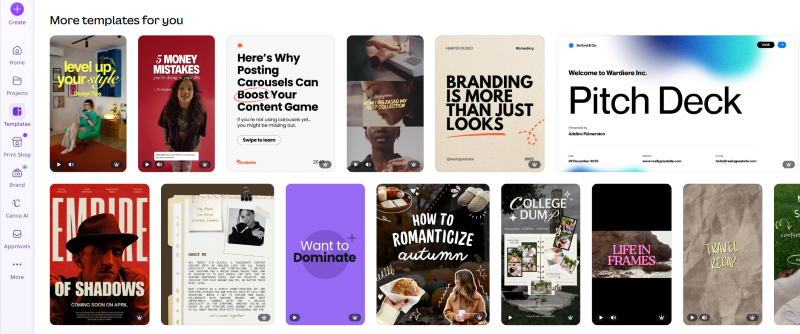
Canva helps content teams create visual assets without the steep learning curve of Adobe Illustrator or Adobe InDesign.
Its drag-and-drop editor, customizable templates, and Brand Kit help teams produce on-brand visuals for LinkedIn, X, and other social media platforms. Multiple team members can also collaborate on designs, so content moves more smoothly from concept to finished asset.
Canva assembles those visuals but doesn't create the raw material, so when a design calls for a batch of product screenshots, teams often have a developer capture them with a script.
My teams use it to create carousels, infographics, and lead magnets for social media posts. It’s also a great tool for creating simple graphics for your website.
Benefits of using Canva:
- Give writers, marketers, and designers a shared workspace for visual content.
- Create reusable templates that speed up future visual content production.
- Maintain a consistent visual identity across every client account.
- Shorten turnaround times for social media campaigns.
Price: Canva Pro costs $12 per user, per month. You can also test Canva first with a free account.
Best editorial workflow software for B2B SEO content teams
For SEO content, I recommend using four specialized tools: one for assigning writing projects and managing approvals, one for creating text documents, one for editing, and one for publishing content from Google Docs to your CMS.
Together, these four tools cover nearly every stage of a modern SEO editorial workflow, from assigning projects and reviewing drafts to publishing finished articles.
Here’s how each one fits into the process. 👇
ClickUp: Assign writers and editors, set due dates, and track approvals
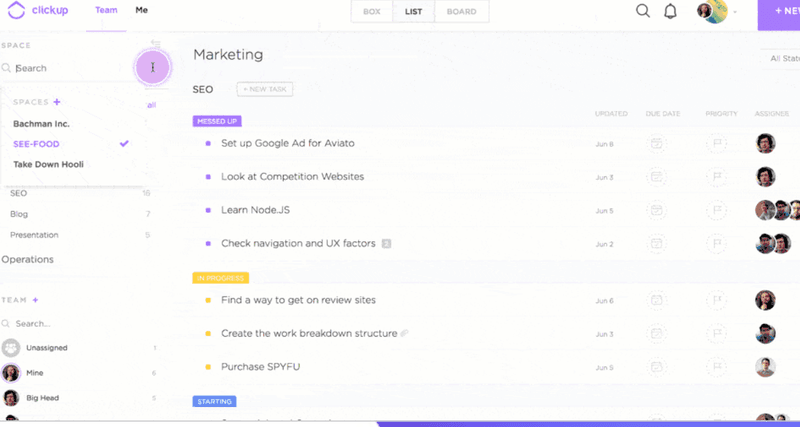
ClickUp helps B2B content agencies keep every SEO project organized.
Use it to create editorial content calendars, assign deadlines to writers and editors, manage approvals, and track each article’s progress from one dashboard.
I use it to create custom statuses, recurring workflows, and automations to manage high content volumes and maintain full visibility across our production pipeline.
Benefits of using ClickUp:
- Monitor team workloads and publishing timelines from one dashboard.
- Reduce missed deadlines with recurring tasks and automations.
- Standardize content production across every client account.
- Give writers, editors, and clients one shared source of truth.
Price: Paid plans start at $10 per user per month, billed monthly.
Google Docs: Create, edit, and share SEO content drafts

Google Docs is where most SEO content comes to life.
Use it to create content briefs, build outlines, write articles, create reusable templates, and collaborate with writers and editors through comments, suggestions, and sharing links.
My teams also use Google Docs to review drafts with clients before publishing. Everyone can leave feedback in one place, which streamlines our SEO content revisions and approvals.
Benefits of using Google Docs:
- Leave comments and suggestions without changing the original draft.
- Create and collaborate on documents in real time, with auto-save.
- Access previous versions through revision history.
- Share documents with a simple link.
Price: Google Docs is free to use with a Google account.
Writer: Edit your SEO content using AI
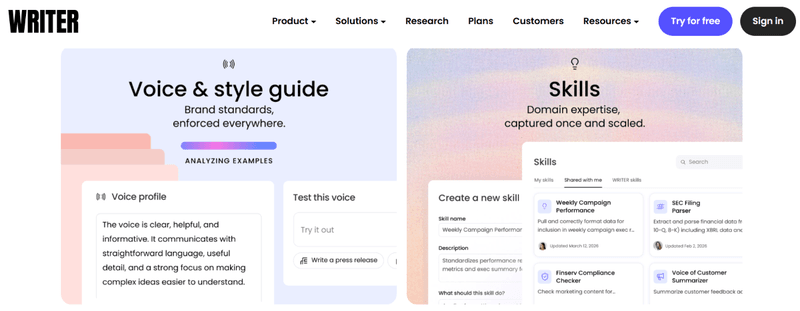
Writer reviews content against your style guide and internal rules so every article stays consistent with your brand voice.
Use it to review articles for grammar, readability, writing quality, and compliance with editorial guidelines before they move to final approval.
Benefits of using Writer:
- Catch style, grammar, and readability issues before publishing.
- Keep every writer aligned with your editorial standards.
- Enforce consistent brand voice across every article.
- Reduce editing time with automated suggestions.
Price: Pricing is available on request. (For reference, my subscription has been around $39/month as a single user, though pricing has changed over time.)
Wordable: Publish blog posts from Google Docs to WordPress, Medium, or HubSpot
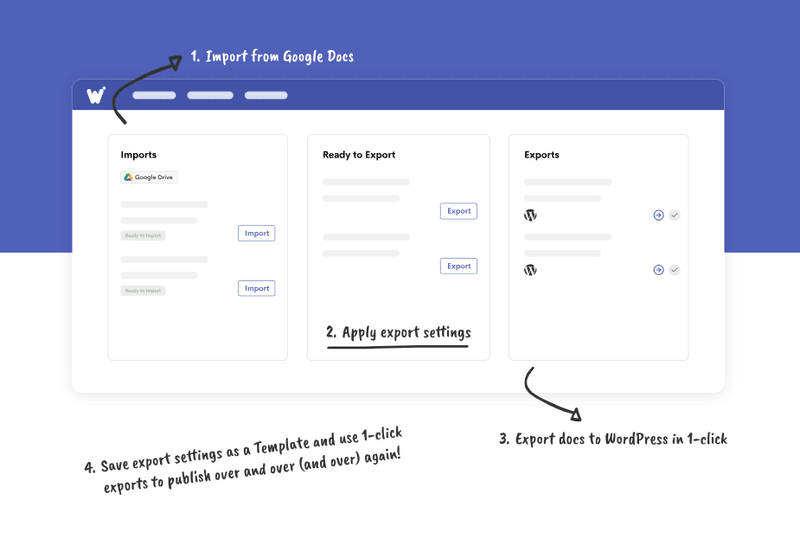
Wordable transfers your blog copy from Google Docs to WordPress, HubSpot, or Medium in seconds.
Use it to eliminate repetitive formatting tasks during staging, like preserving headings, lists, and links. After you configure the settings, you can click one button to bulk publish your blog posts from Google Docs to your CMS.
This tool is an immense time saver if you’re losing hours each week to content staging.
Benefits of using Wordable:
- Reduce copy-and-paste errors when moving content from Google Docs to your CMS.
- Publish articles with perfect formatting in just one click.
- Speed up your blog draft-to-published-article workflow.
- Upload and compress images automatically.
Price: Paid plans start at $29 per year, but you can start with a free Hobbyist plan.

4 important tips to consider when using workflow tools as a content team
Keep these four considerations in mind as you build and refine your workflows. 👇
Tip 1: If you manage enterprise clients, you may also need enterprise project management
Editorial workflow tools are purpose-built for the realities of content production (e.g., draft stages, review cycles, and publishing calendars) in a way that generic task trackers aren’t.
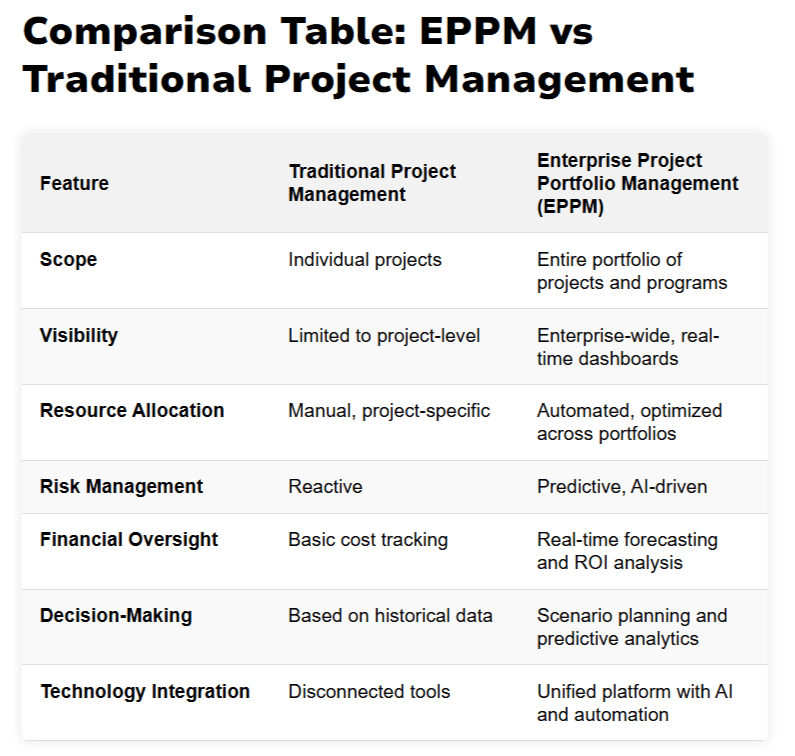
That said, larger content organizations sometimes outgrow single-team tools and need something that rolls content work into broader enterprise project management. So editorial calendars can sit alongside campaigns, product launches, and other cross-functional initiatives on one shared timeline.
For larger teams using multiple AI-assisted content workflows, a governance control plane can provide a centralized layer for managing permissions, policies, approvals, and oversight across those workflows.
If that’s your situation, consider pairing your editorial workflow software with an enterprise project management platform.
For most small and mid-sized agencies, dedicated editorial workflow tools are more than enough. Enterprise project management usually becomes worthwhile only when multiple departments need visibility into the same projects.
Tip 2: Define clear communication guidelines for your content team
Decide where conversations should happen. For example, use comments inside Google Docs for content feedback, Slack for quick questions, and email for client communication.
Keep communication guidelines in the docs section in ClickUp and show your team how to access them.
This is how I keep feedback from getting lost across multiple platforms.
Tip 3: Make email phishing awareness a practical part of workflow hygiene
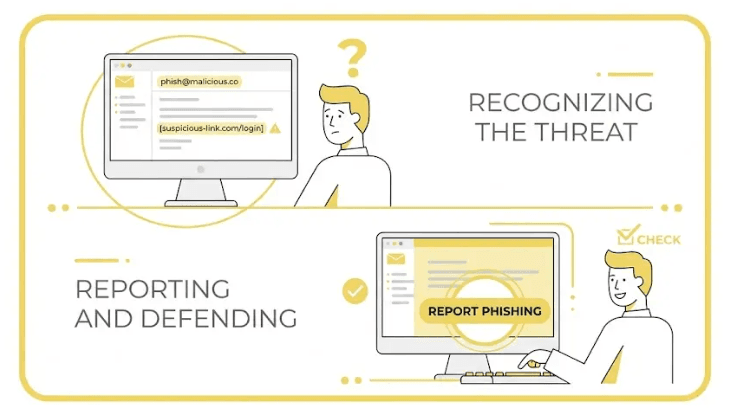
Train your content team on email phishing awareness so they don’t open risky emails. Phishing awareness training teaches your team how to recognize, report, and defend your agency against phishing attempts. 👇
Content teams regularly receive shared documents, review requests, and client login details.
Team members need to know when a “quick revision request,” file-share link, or urgent client message could really be a credential-stealing attempt before it disrupts production or exposes client work. (And, yes, this is still relevant if you’re running a small team.)
A few minutes of security training can prevent hours of recovery work and protect both your team's productivity and your clients' data.
For reference, phishing is THE most common type of social engineering attack, according to IBM.
Tip 4: Test your content workflows before going live
I highly recommend running a small process pilot before officially implementing your content workflows. Identify bottlenecks, unnecessary approval steps, and automation issues before they affect active projects.
Making adjustments during a pilot is less disruptive to your operations than changing an established workflow after your entire agency has adopted it. 🙃
Wrap up on editorial workflow software for content teams
Editorial workflow software helps content teams stay organized from the first brief to the final published asset. The right combination of tools can help you streamline collaboration, reduce repetitive work, and make it easier to scale your content production.
No single platform replaces every part of your editorial process. The strongest workflows combine specialized tools that each solve one problem exceptionally well.
Ready to upgrade your workflow? Start with StoryChief and build your editorial process from there. Try StoryChief for free now.
FAQs about editorial workflow software for content teams
What are the essential features of a modern content workflow platform?
The essential features of a modern content workflow platform include:
- Workflow automations
- Content scheduling
- Collaboration tools
- Editorial calendars
- Task assignments
- Approvals
Look for tools that help content teams manage production from start to finish.
How do you choose editorial workflow software for a digital marketing team?
To choose editorial workflow software for a digital marketing team, look for tools that fit your content production process.
They should support team collaboration, integrate with your existing tools, and scale as your team grows.
What are the best editorial workflow tools for remote content collaboration?
The best editorial workflow tools for remote content collaboration make it easy for writers, editors, designers, and clients to communicate.
I recommend StoryChief, ClickUp, Google Docs, Writer, and Wordable. Together, these tools help remote content teams collaborate on drafts, manage approvals, edit content, and publish articles from anywhere.